
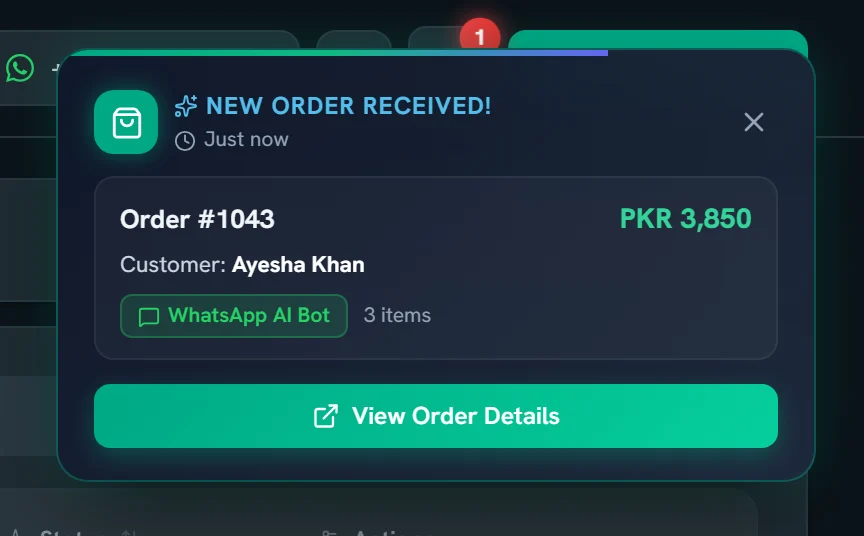
A sound and a pop-up
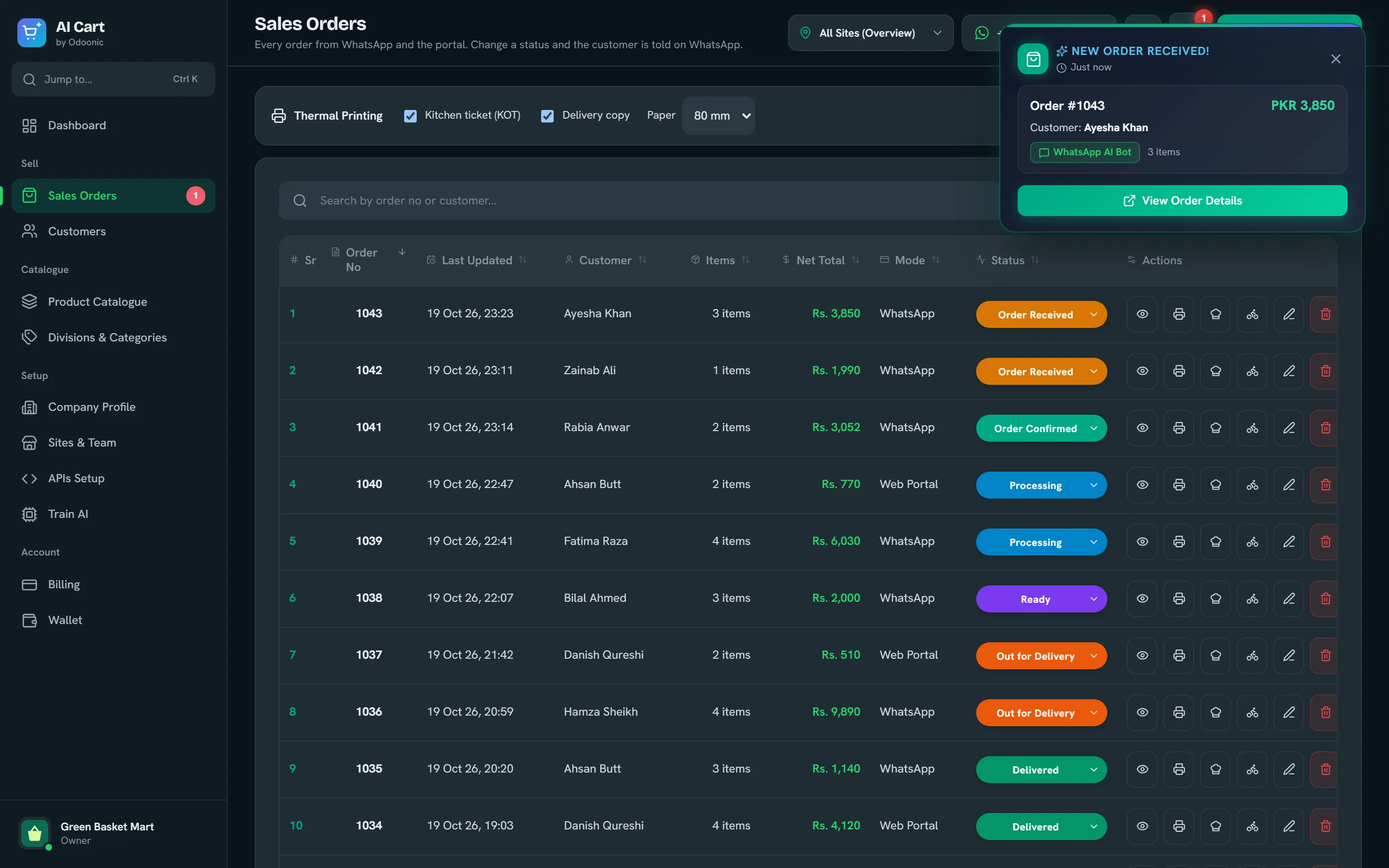
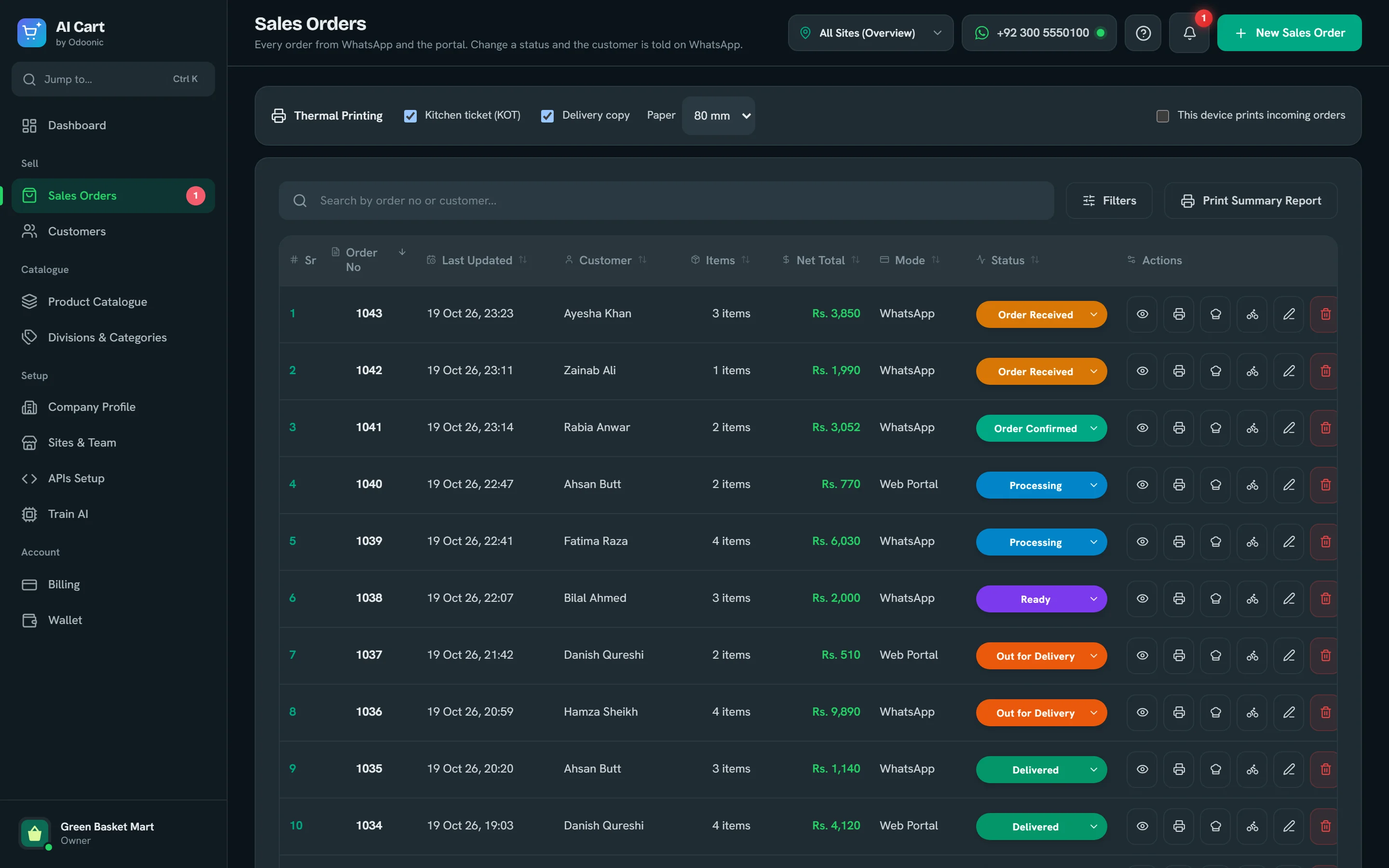
Each new order rings, pops up and lands on the bell, in the portal and as a desktop notification, so nobody has to keep refreshing.
AI Cart answers your WhatsApp in English or Roman Urdu, voice notes too. It picks products from your catalogue, quotes your prices and sends each confirmed order to your portal, even at 2 a.m.
Free plan, 50 orders a month No card needed Works on any phone

Made for businesses that sell on WhatsApp
Every answer comes from your own catalogue. The assistant searches it, keeps a real cart for each customer and writes the order summary from your prices, so what the customer reads is what lands in your portal.
Their words, your products
Answers from your product notes
Remembers regulars
“2 carton pani aur 5 kg chawal” works as well as “two cartons of water”. Replies stay in easy-to-read Latin script.
Customers can simply talk. Each note is transcribed and handled exactly like a typed message.
Exact names, your own keywords, misspellings and local words like chawal, anday or doodh.
Totals and the order summary are built from your data, so a quoted price is always your price.
It uses your product descriptions and Train AI notes, and says so plainly when it doesn’t know.
Greets returning customers by name, offers their saved address and repeats a last order in one message.
“Where is my order?”, past orders, and cancelling a just-placed order within a set time.
One reminder for a forgotten cart, and a short “did it arrive?” after delivery, saved on the order.
Each reply is checked before your customer sees it.
Repeated messages, network retries and re-sent carts are caught at three separate points, so nothing is booked twice.
Switch a product off and the assistant stops offering it straight away.
Replies with a made-up price or size, a missing quantity or a wrong total are corrected before they are sent.
The priced summary and the “order placed” message come straight from the order record.
Link your WhatsApp Business number in the portal, or let the AI Cart team connect it with you. A green light in the top bar means the assistant is live.
Type products in, import an Excel sheet from our template, or sync them from your ERP or website. A few keywords per product help customers’ own words find it.
Customers message your number. The assistant builds the cart, confirms it, and the order appears in your portal with a sound and a pop-up.
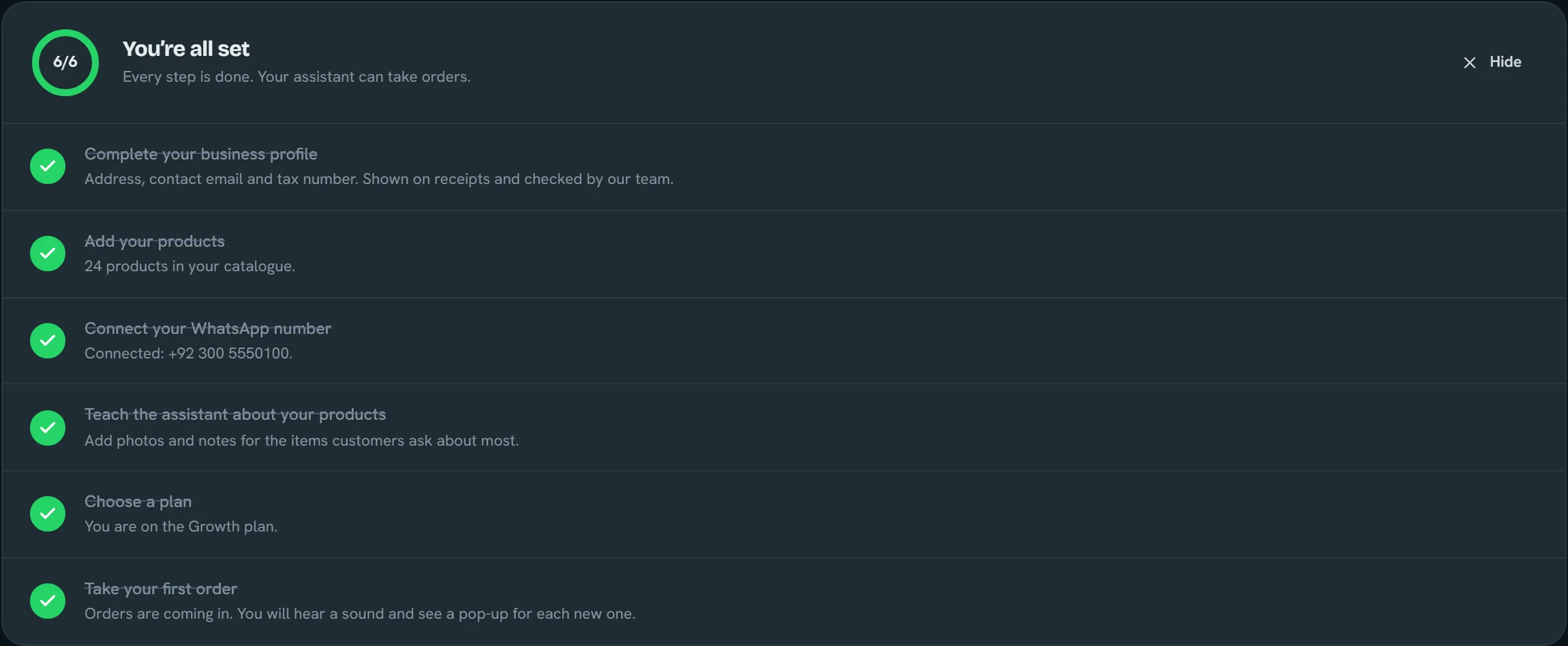
Orders, products, customers, branches and billing. These are real screens from AI Cart with a demo shop loaded.
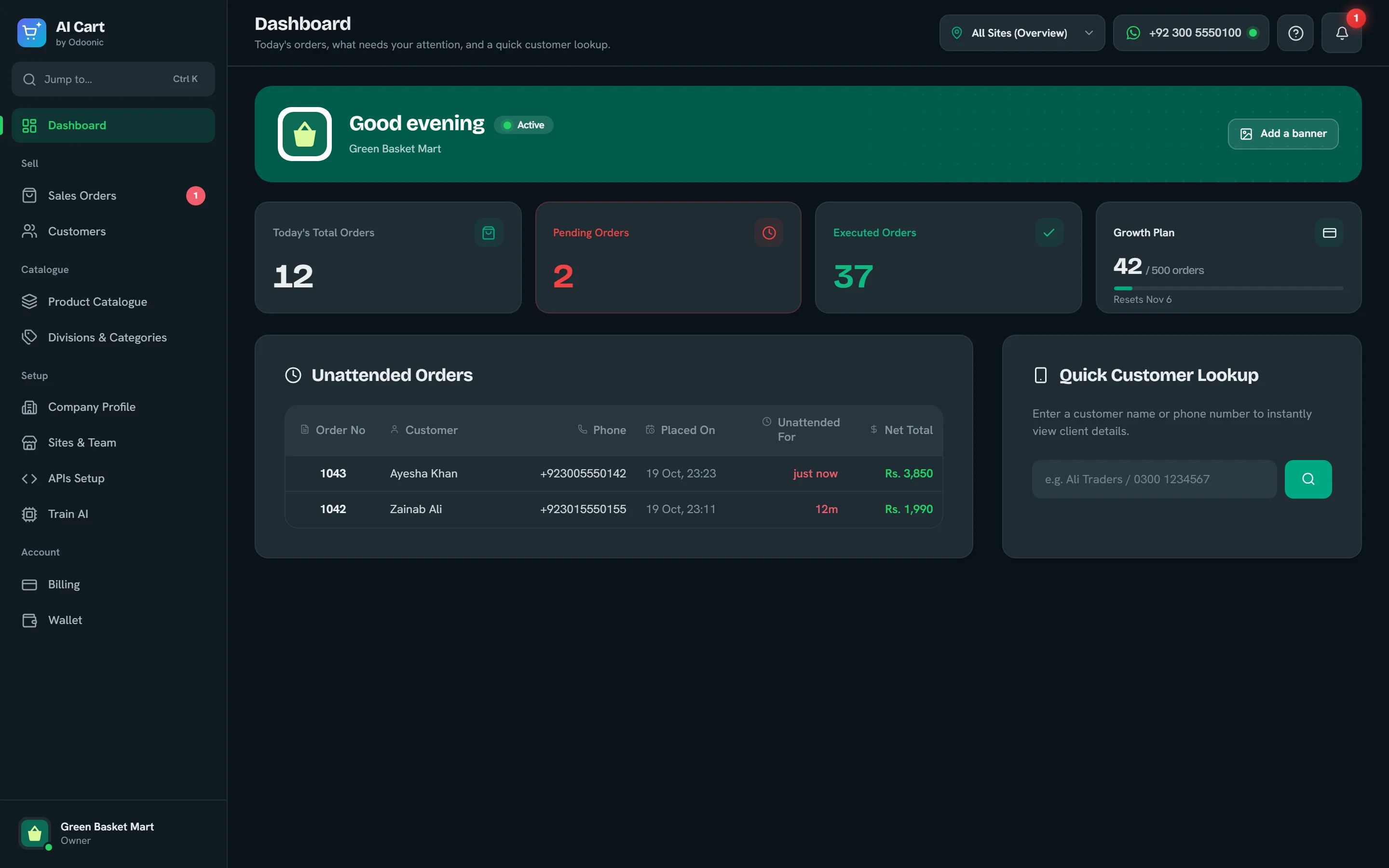
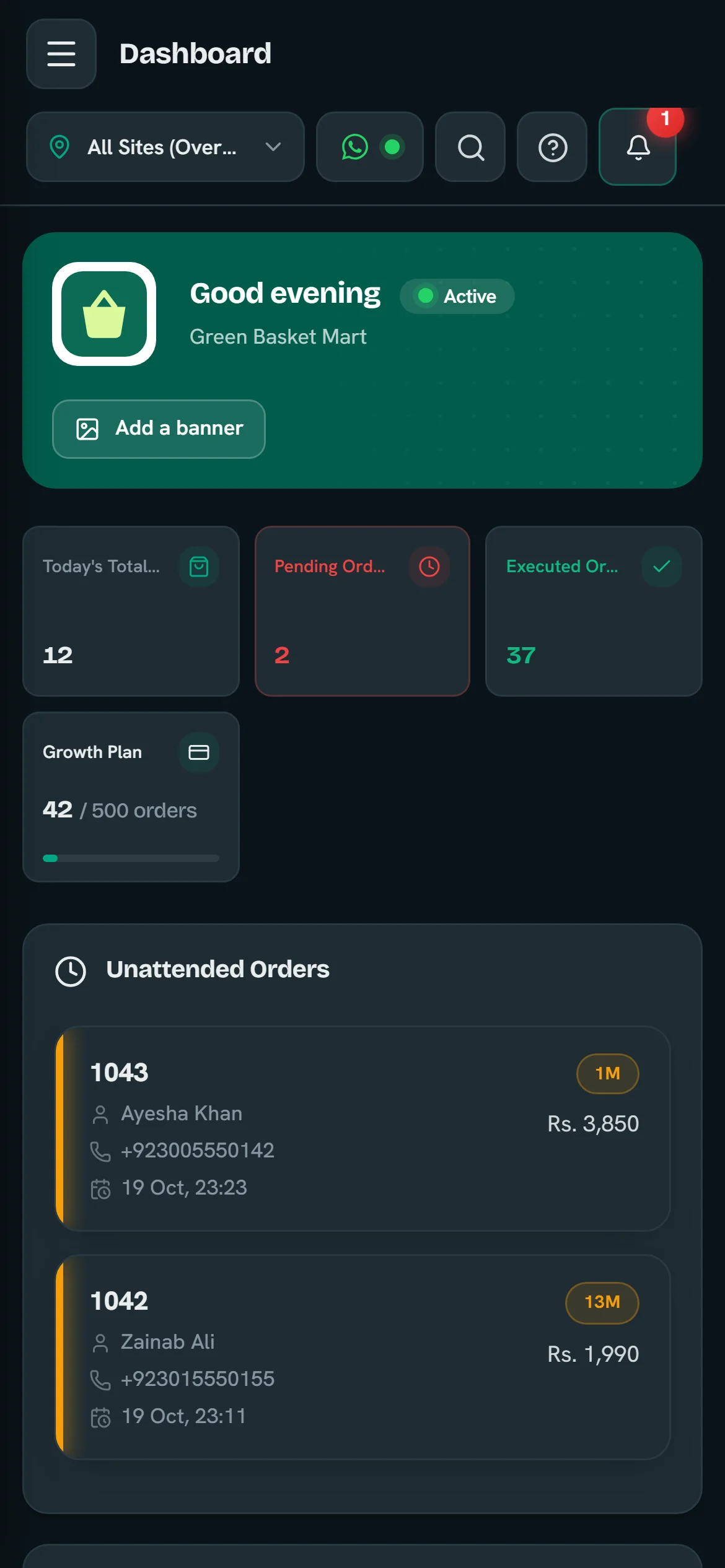
Today’s orders, the customers still waiting for a reply, how much of your plan is used and a quick customer lookup.
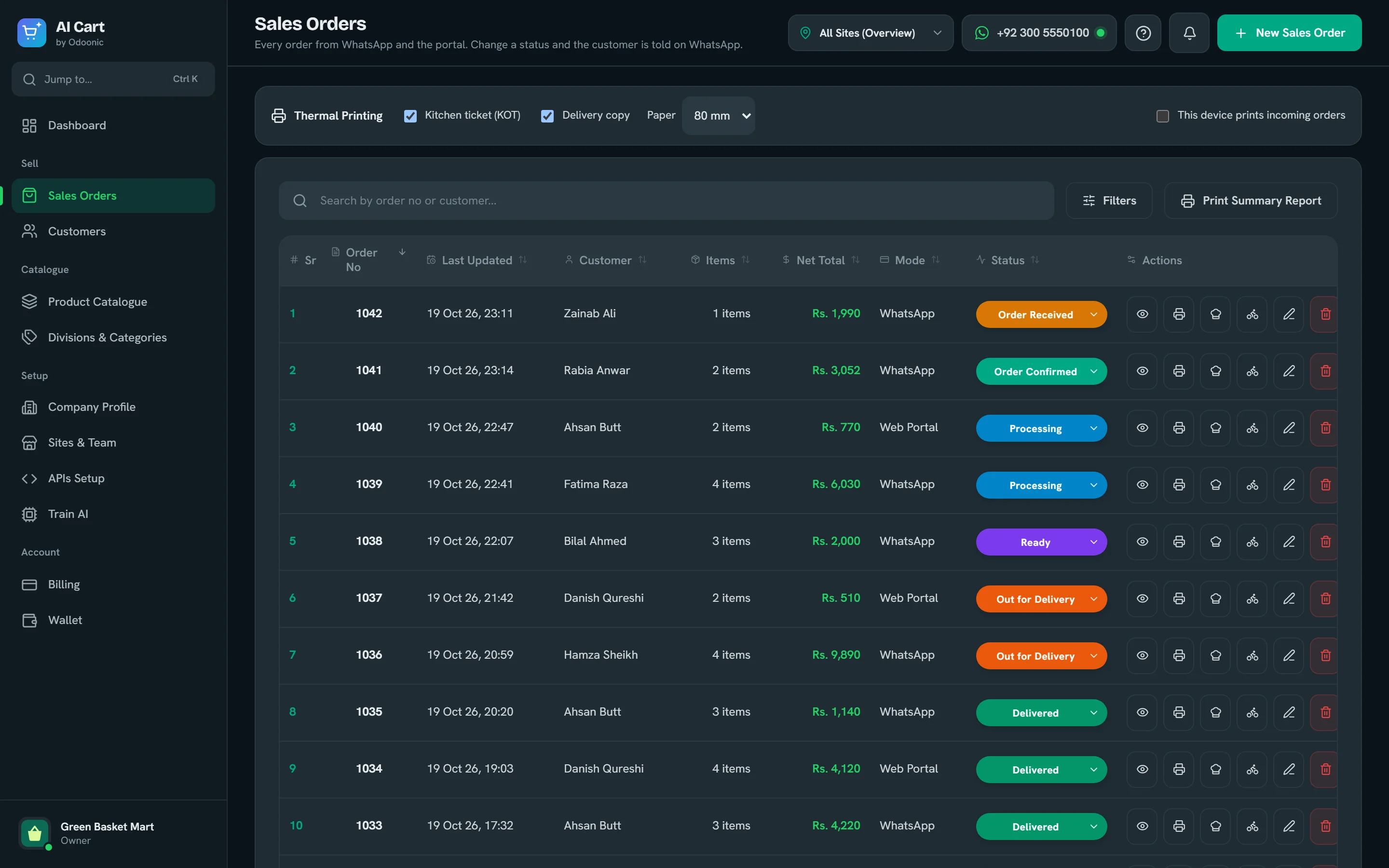
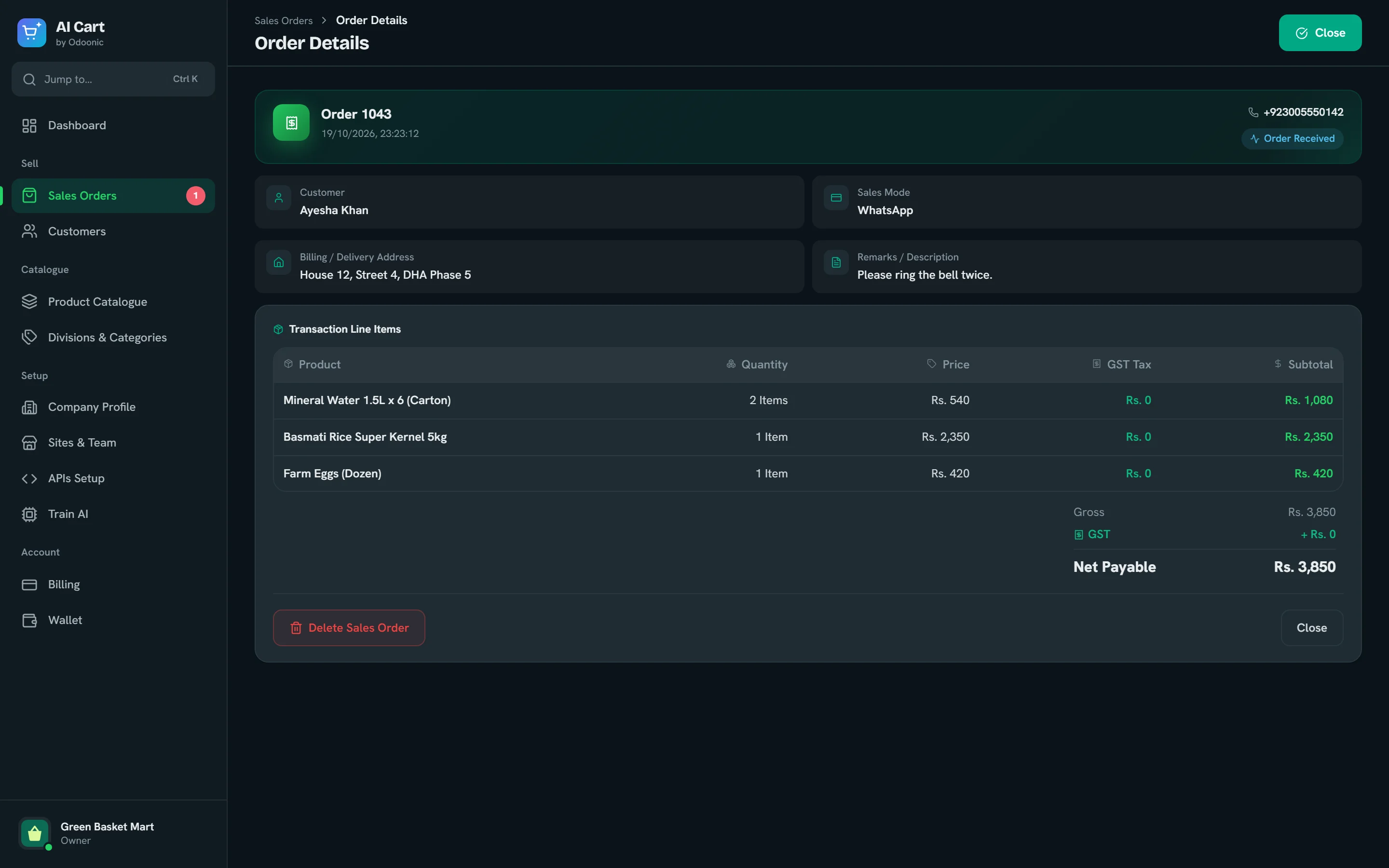
WhatsApp orders and the ones you enter for phone or walk-in customers share one list. Change a status from the row and the customer is told on WhatsApp.
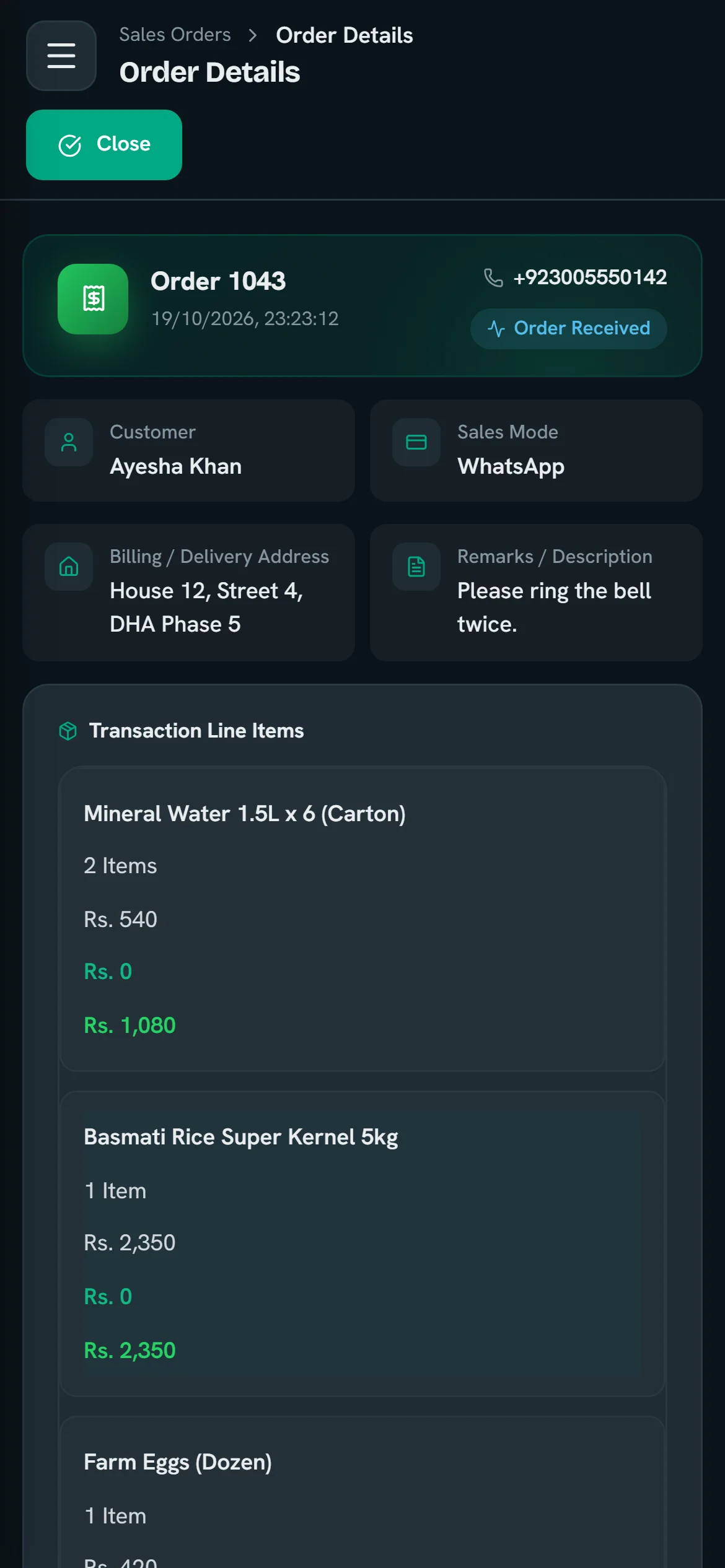
Items, add-ons, quantities, tax, delivery address and the customer’s own note, with a total that matches the WhatsApp summary to the rupee.
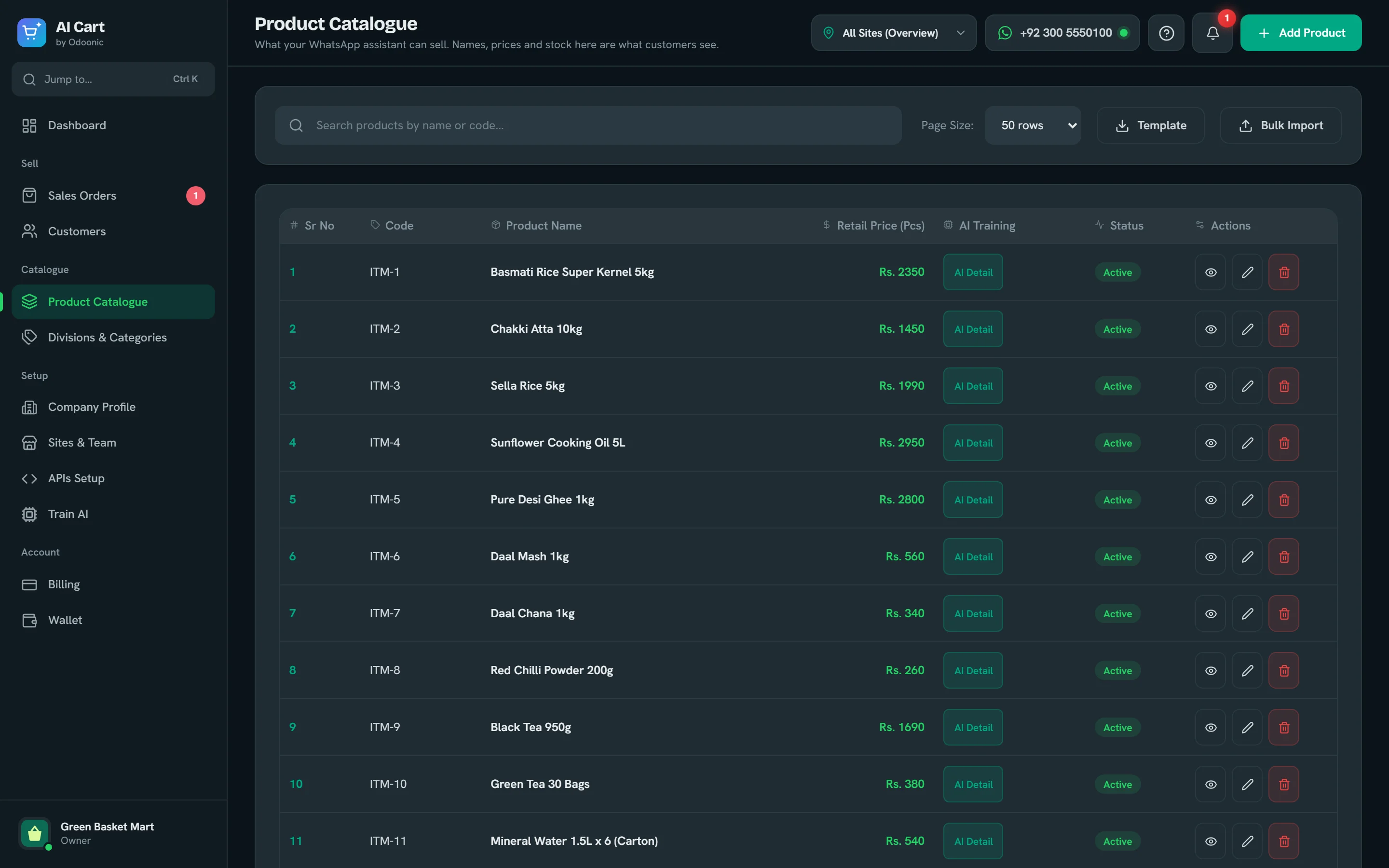
Names, prices and stock here are exactly what customers see. Each product carries keywords, so local words find it.
Anyone who orders on WhatsApp is saved with their phone number and address. Add others by hand or import a list.
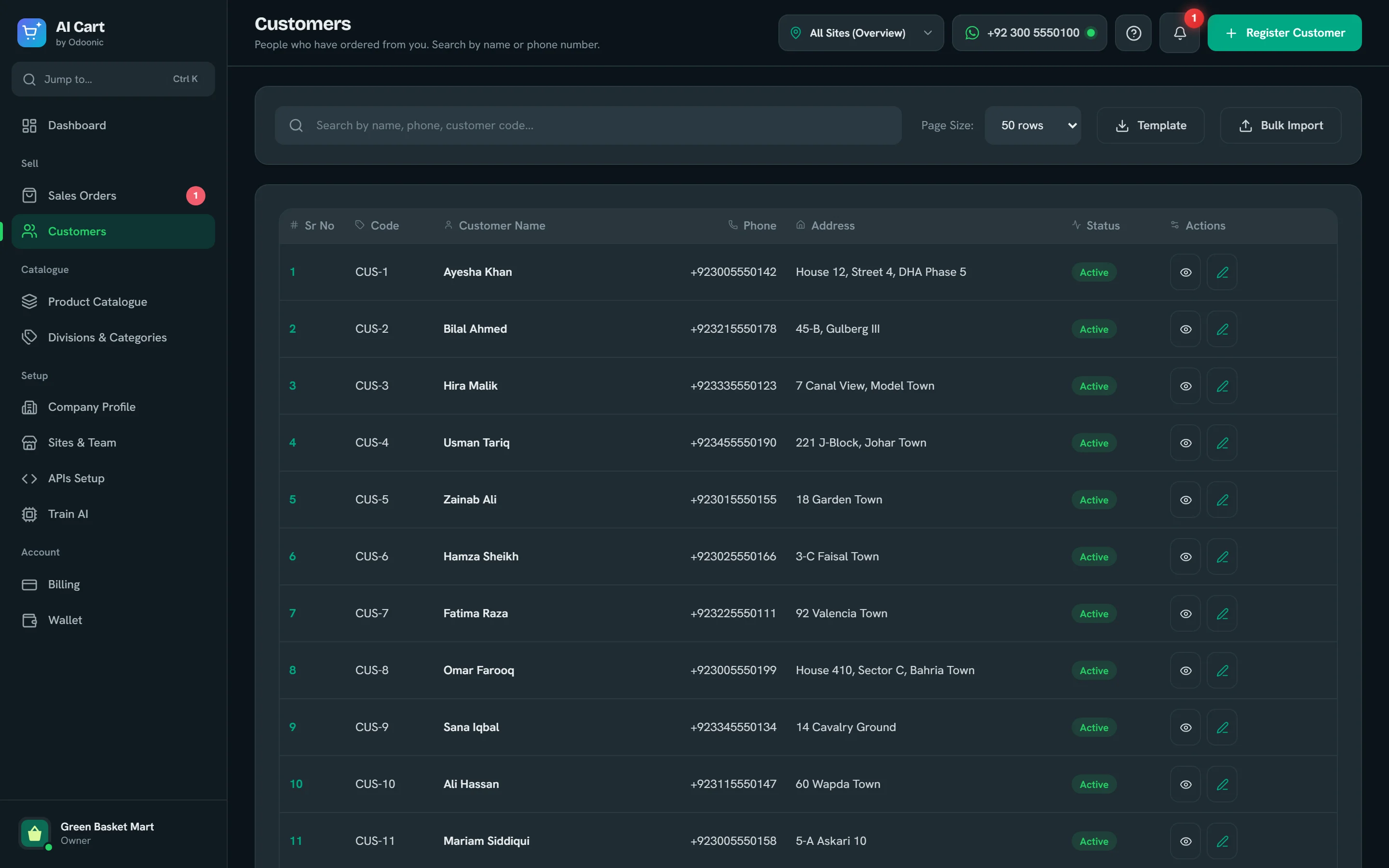
One account for the whole business, a branch for each location and a login for each person.
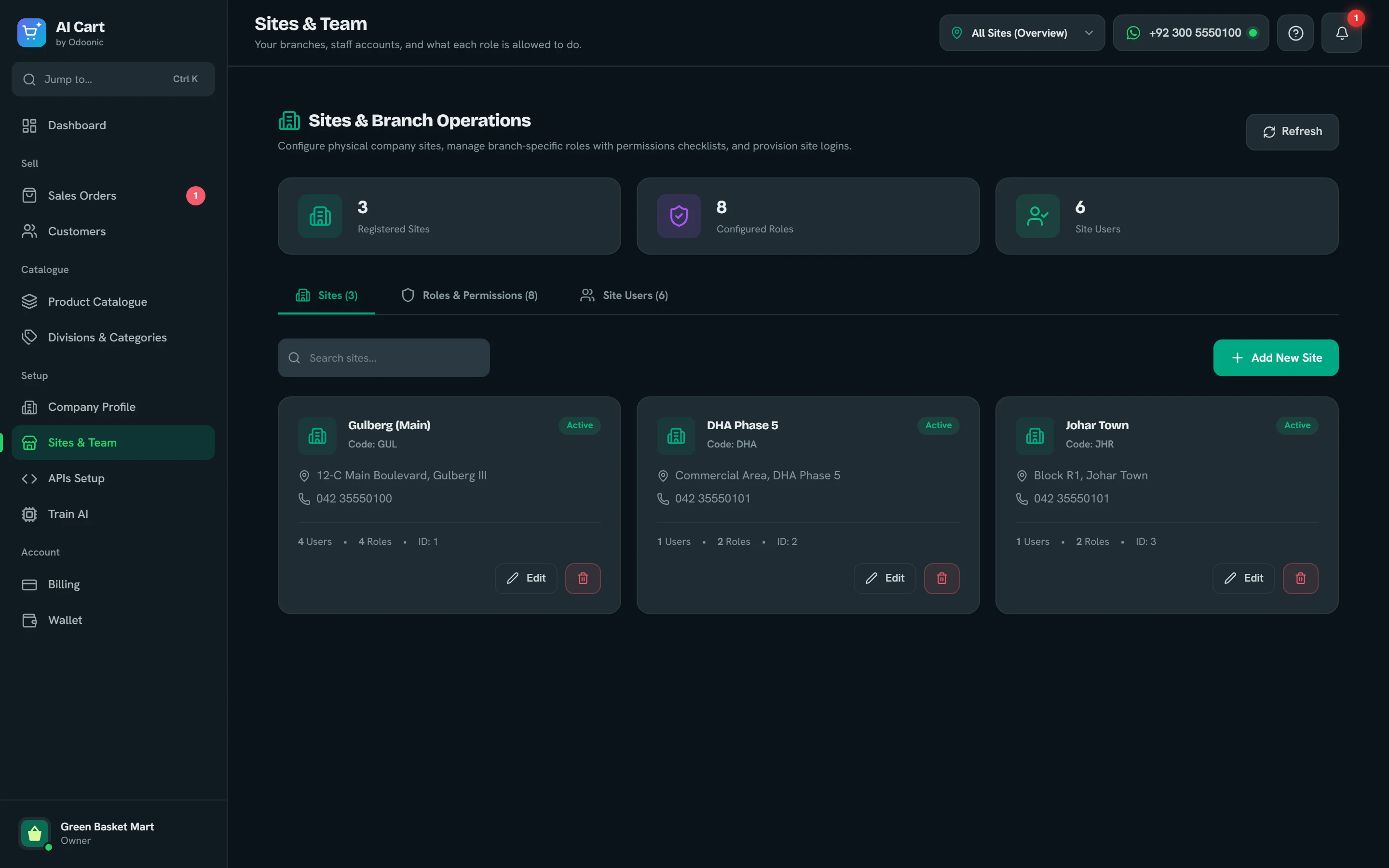
Your plan, how many orders you have used this cycle and what you can move to, shown in your own currency.
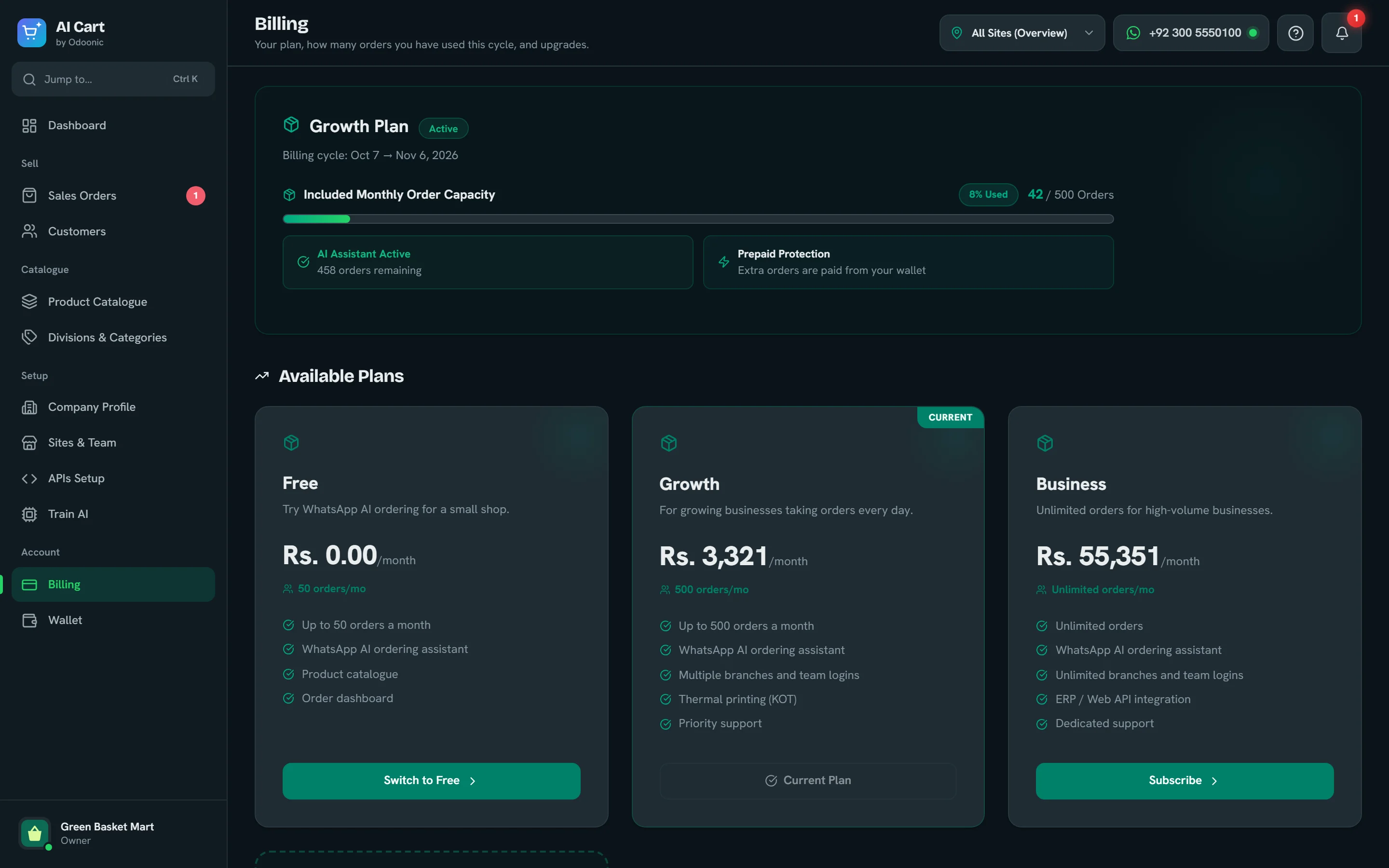
Your package and top-ups go into one balance, and each order takes a small, fixed amount. Every charge and top-up is in the statement.
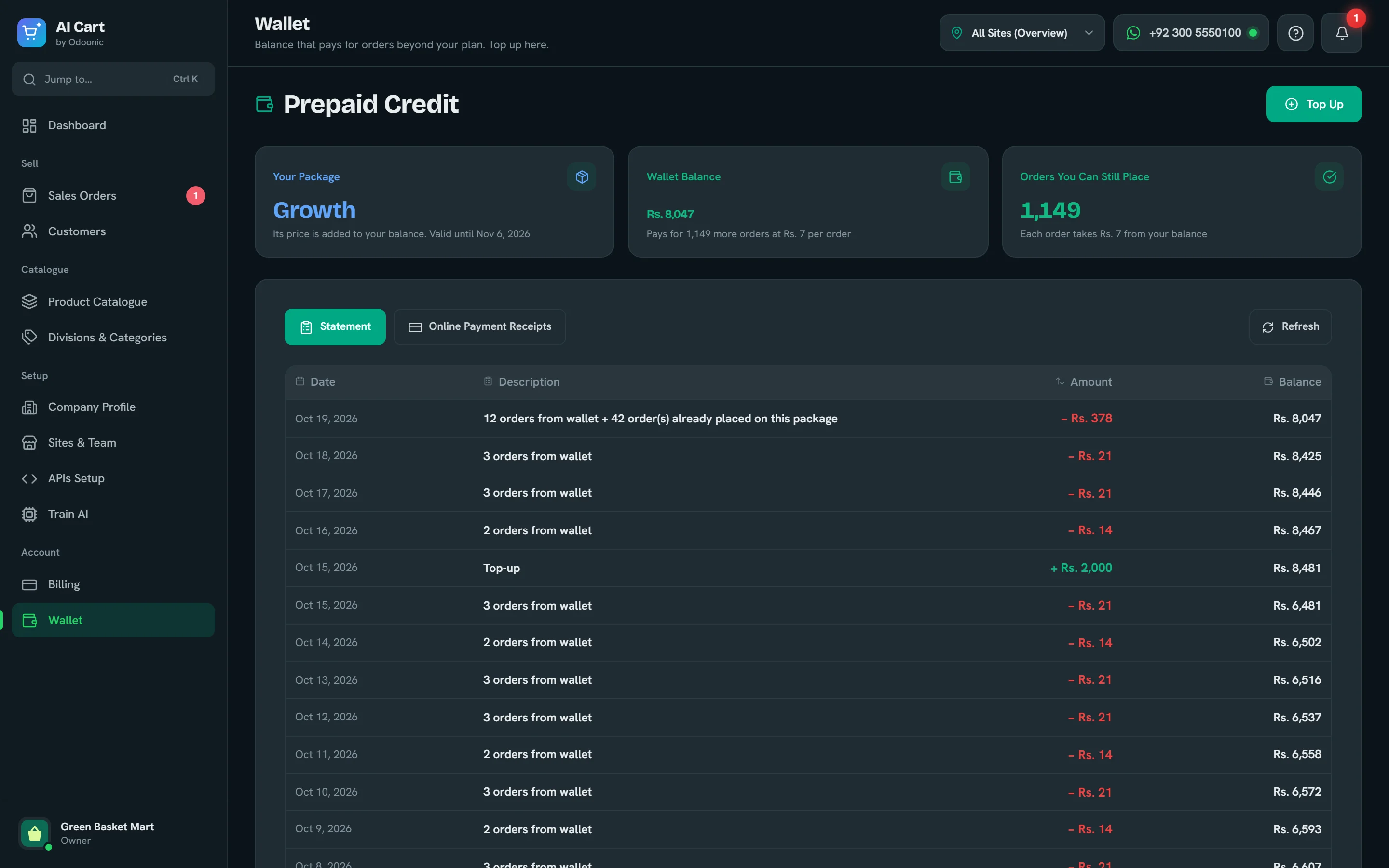
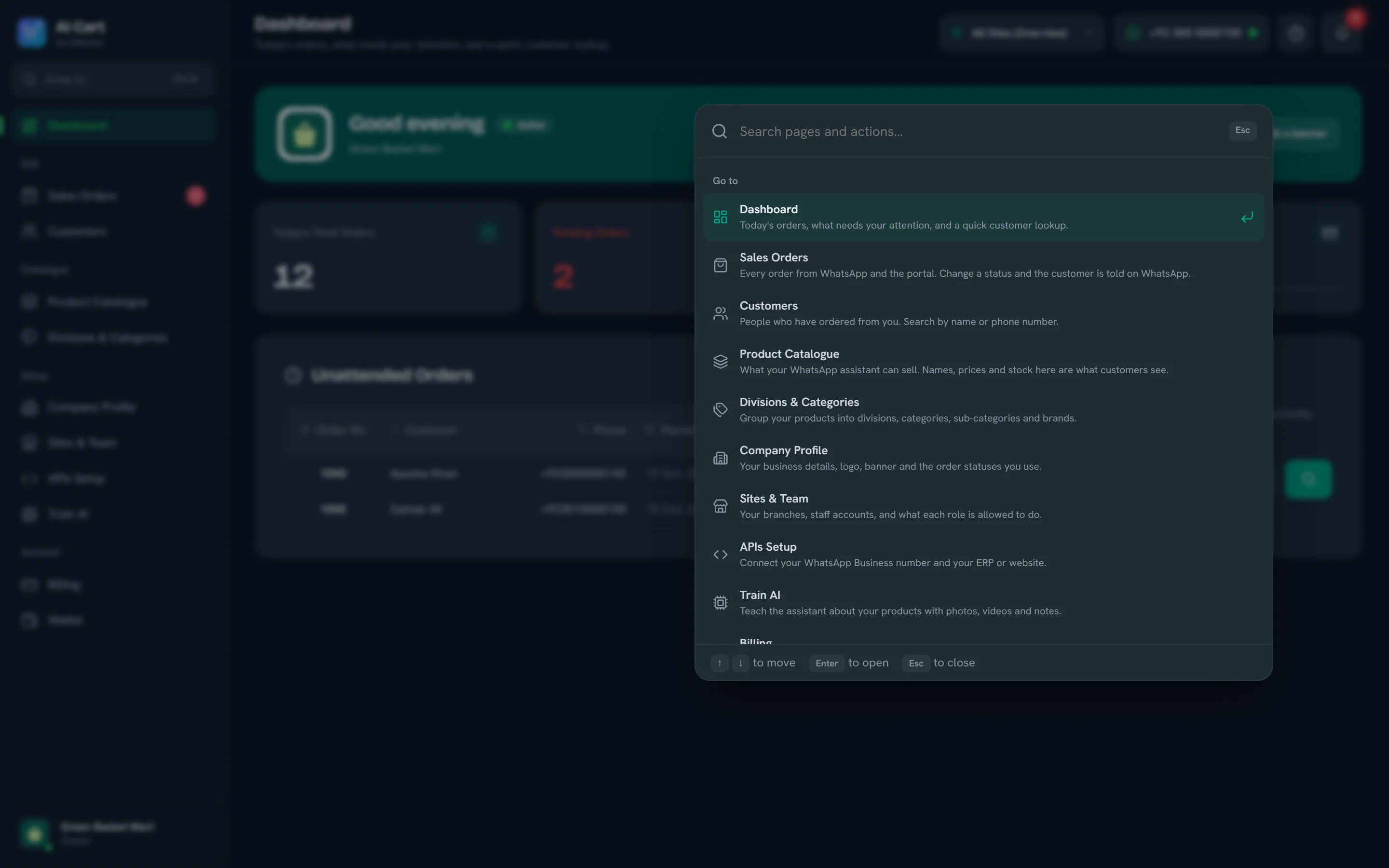
Every screen and action is one search away: open a page, add an order, register a customer or switch to dark mode.
Swipe the screenshot sideways to see the whole screen.
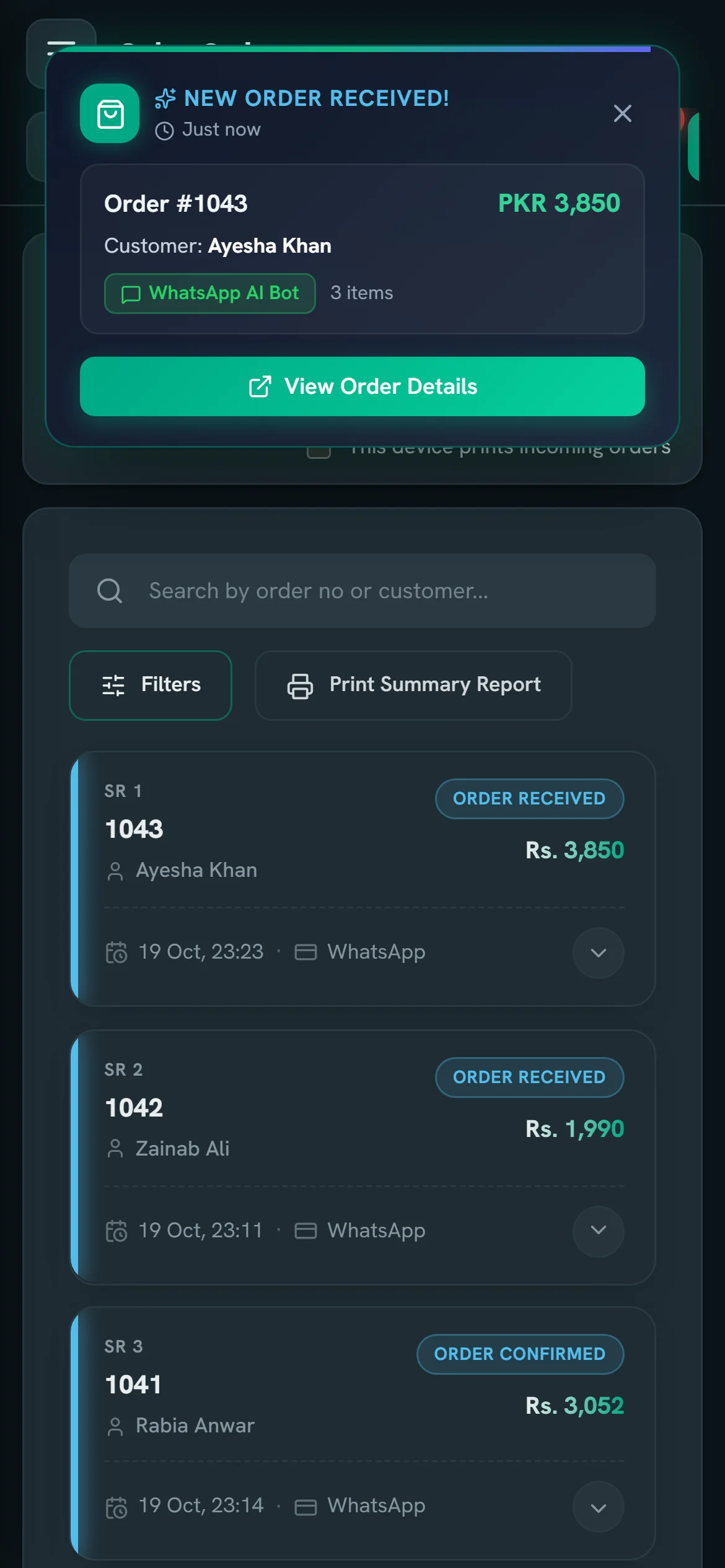
The portal plays a sound, the customer gets a WhatsApp update each time you change the status, and the kitchen or rider gets a printed ticket.
Each new order rings, pops up and lands on the bell, in the portal and as a desktop notification, so nobody has to keep refreshing.
Move an order to Confirmed, Processing or Out for Delivery and the customer gets that update on WhatsApp, in the same chat.
Kitchen order tickets (KOT) and delivery copies print on 80 mm or 58 mm thermal printers. Mark one device as the print station and every new order prints itself.
Start with these, rename them, or add your own.
Open the portal in your phone’s browser. Check new orders, change a status from the shop floor and look up a customer, with the same sound and pop-up as on a computer.
Download the template, fill it in, upload. Products, customers, categories and brands all import.
Connect a web API and keep products, customers and orders in step with the system you already use.
Separate price lists, plus carton, pack and piece prices for trade customers.
Extras like “Karahi cut” or “Extra cheese” that the assistant offers and prices correctly.
Organise a large catalogue so you and the assistant find things fast.
GST in Pakistan, VAT elsewhere, set per product, with prices in your own currency.
Train AI takes photos, a short video and notes for the products customers ask about most.
Turn a product off when it runs out and back on when it returns.
Keywords the assistant listens for
What the assistant knows
Extra-long grain basmati, aged one year. Cooks fluffy, made for biryani and pulao.
Add-ons
Add a branch for each location, create roles like Cashier or Rider and choose exactly what each can see and change. Staff sign in with their own username, so nobody shares yours.
Your customers already message you on WhatsApp. AI Cart turns those messages into orders your team can prepare, print and deliver.
WhatsApp food ordering with add-ons such as extra cheese, kitchen order tickets (KOT) that print as each order arrives, and status updates until the rider reaches the door.
A customer writes: “2 zinger burger aur 1 large fries, extra mayo”
Customers order groceries in their own words, like chawal, doodh or anday, and regulars repeat last week’s basket in a single message.
A customer writes: “5 kg aata, 2 litre doodh aur ek dozen anday”
B2B order booking on WhatsApp. Retailers order by carton, pack or piece at your wholesale prices, and every order reaches one portal instead of an order booker’s notebook.
A customer writes: “10 carton cooking oil aur 5 carton ghee bhej dein”
Regular customers reorder their everyday items by message, and your team checks every order in the portal before it leaves the counter.
A customer writes: “Pichli dafa wala order dobara bhej dein”
Customers top up with a one-line message, their saved address fills itself in, and riders see only their own branch’s orders.
A customer writes: “2 bottle 19 litre, same address”
The assistant answers questions about sizes, colours and availability from your product notes, then turns the chat into an order at your listed price.
A customer writes: “Ye kurta medium size mein available hai?”
Start free. Each plan includes a number of orders a month, and orders beyond it are paid from your wallet at a small price per order.
Try WhatsApp AI ordering for a small shop.
50 orders a month
For growing businesses taking orders every day.
500 orders a month
Unlimited orders for high-volume businesses.
Unlimited orders
Prices are in US dollars. The portal shows them in your currency.
Pay by card or bank transfer, with a receipt for every payment.
Plans do not renew on their own. Stop paying and the plan ends when the period you paid for is over.
Your products, customers and orders are visible only to your own account and the team you add.
Every new account confirms its email with a one-time code, and passwords are stored only as secure hashes.
Staff use their own sign-in, and each role sees only what you allow.
We do not sell, rent or trade your data. It is shared only with the services needed to run AI Cart, such as WhatsApp.
It lets customers order by sending a message to your WhatsApp number instead of calling or downloading an app. In AI Cart, an AI chatbot reads each message or voice note, builds the cart from your catalogue, confirms the total and address, and saves the order in your order management portal, where your team prepares it.
A WhatsApp Business number and your product list. The number is connected through Meta’s WhatsApp Cloud API; our team can set it up with you, and the portal shows a green light once the assistant is live.
Yes. AI Cart uses Meta’s official WhatsApp Business Platform (the Cloud API), not an unofficial workaround that can get a number blocked. You can connect your number from the portal through Meta’s own sign-up window, or our team can set it up with you.
No. Customers order from the WhatsApp they already have. You and your staff open the portal in any browser, on a computer or a phone, so there is nothing to install.
English and Roman Urdu, typed or spoken in a voice note. Voice notes in Urdu are transcribed and answered in Roman Urdu, so every reply is easy to read on any phone.
No. It can only sell products from your catalogue that are in stock, and every price and total comes from your data. Replies are checked before they are sent, and the order summary is generated from the saved cart.
Extra orders are paid from your wallet at a small price per order. If the wallet is empty, a grace period gives you time to top up before new orders pause.
Yes. Add branches, create roles such as Cashier or Rider, and give each person their own login with the permissions you choose.
If your system has a web API, AI Cart can sync products, customers and orders with it. You can also import Excel sheets or work entirely in the portal.
Yes. Turn on kitchen order tickets (KOT), delivery copies or both, and choose 80 mm or 58 mm paper. The device you mark as the print station prints each new order as it arrives.
By card or bank transfer. For a bank transfer you upload the payment proof, and your plan or top-up is approved after a quick check. Receipts stay in the portal.
Yes. Plans do not renew on their own, so if you do not pay for the next period the plan simply ends. You keep it until the end of the period you paid for. See the refund policy.
Yes. AI Cart works in Pakistan and in any other country. Prices show in your own currency, such as PKR, AED, SAR, GBP or USD, tax is called GST or VAT depending on your country, and phone numbers are stored in international format.
The free plan covers 50 orders a month and needs no card.
Prefer to talk first? support@odoonic.com